Repositories and open-with buttons
When to read this. The Code tab shows the wrong repos, or the wrong repos are in the primary card, or the "open in IDE" button launches the wrong thing (or nothing).
Everything on this page lives in <conception_path>/config/repositories.yml. This file is versioned with the tree — changes propagate to every teammate who pulls. Per-machine overrides go in preferences.yml (see Multi-machine setup).
Workspace and worktrees paths
workspace_path— the directory condash scans for git repositories. Every direct subdirectory that contains a.git/becomes a row in the Code tab.worktrees_path— an additional sandbox for the "open in IDE" launchers. Paths outside both roots are rejected before the shell sees the command.
If workspace_path is unset, the Code tab disappears.
Grouping: primary, secondary, others
Names are bare directory names (not paths) matched against whatever was found under workspace_path. Every repo not listed in either group lands in an auto-generated OTHERS card. The three cards render as a single strip, in the order primary → secondary → others:
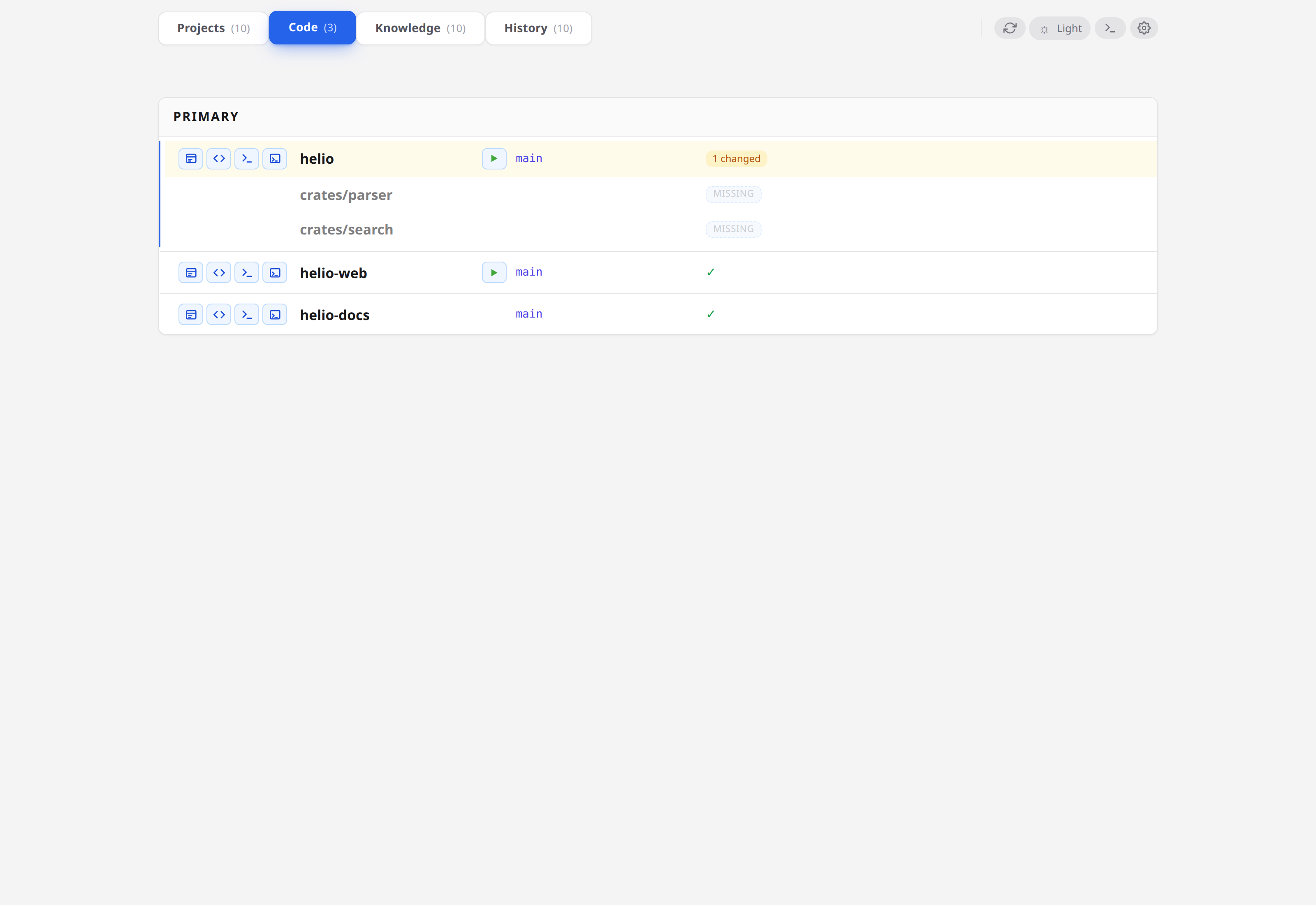
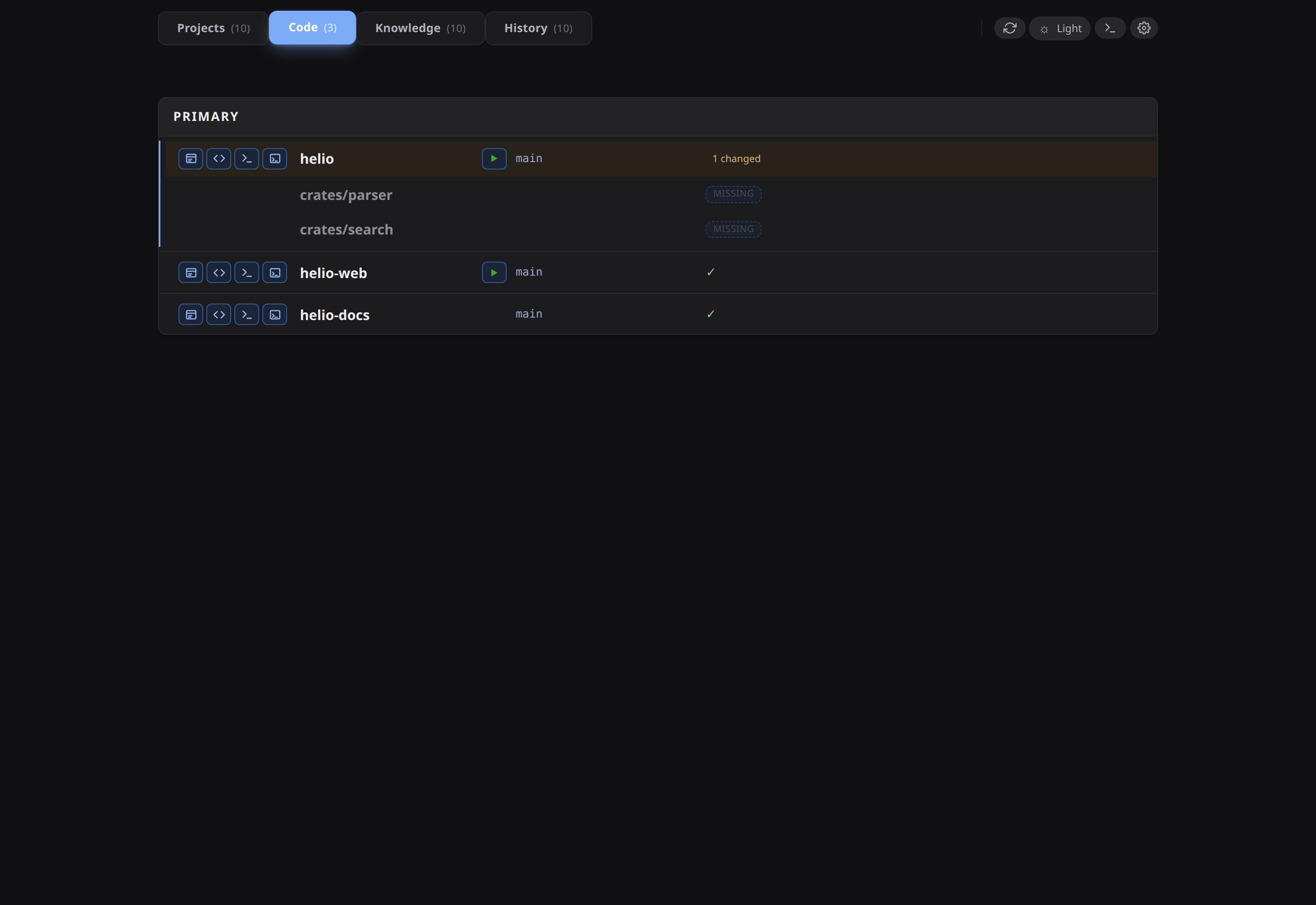
Inside a card, each repo renders as a top-level row. Any sub-repos declared for that repo (see Submodules in a monorepo below) sit on the same row level, visually grouped with the parent by a blue left-border accent. Worktrees for a given repo or sub-repo nest directly under it — see Multi-machine setup for where worktrees come from.
The grouping is a UX signal, nothing more — every group behaves the same (same dirty counts, same launcher buttons). Use it to keep the repos you actually touch today at eye level.
Submodules in a monorepo
If you work in a monorepo where different subdirectories are edited independently, use the submodule form:
Since v0.14.0 each declared submodule renders as a top-level row alongside its parent, not as a collapsible child under it. Parent and submodules share a row level; the whole family is wrapped in a left-border accent (the blue "family" line) so the eye still groups them. The collapse chevron is gone — submodules are always rendered when they exist.
Each row in the family (parent or submodule) keeps its own dirty count, its own set of open_with buttons, its own inline runner, and its own nested worktrees. A repo without declared submodules simply renders as a family of one.
If a configured submodule path is missing in one of a repo's worktrees (the worktree predates the submodule's addition, or someone deleted the subdir), condash surfaces a greyed "missing" row in that family rather than silently omitting it — that way the visual family stays consistent across checkouts and the gap is obvious.
The submodules entry is an inline map ({name: …, submodules: […]}), not a nested block. A plain string entry continues to mean "treat the whole repo as one unit".
The three open_with slots
Each repo row has three icon buttons: main IDE, secondary IDE, terminal. Wire them in repositories.yml:
open_with:
  main_ide:
    label: Open in main IDE
    commands:
      - idea {path}
      - idea.sh {path}
  secondary_ide:
    label: Open in secondary IDE
    commands:
      - code {path}
      - codium {path}
  terminal:
    label: Open terminal here
    commands:
      - ghostty --working-directory={path}
      - gnome-terminal --working-directory {path}
label— the tooltip text shown on hover.commands— a fallback chain. condash tries each entry in order until one starts successfully, then stops. The literal{path}is replaced with the absolute path of the repo (or submodule row) being opened.
The fallback chain is the key feature: on machine A where idea resolves, you get IntelliJ; on machine B where only idea.sh is on $PATH, the same config picks up the shell wrapper. No per-machine edits required.
Commands are parsed with shlex, so quoting works the way you'd expect: "/Applications/JetBrains Toolbox/idea.app" {path} is a single argv[0] + {path}.
Built-in defaults for the three slots reproduce the previous IntelliJ / VS Code / terminal behaviour, so a repositories.yml without any open_with section still gives functional buttons. Override only the slots you want to customise.
Editing via the gear modal
Click the gear icon in the header, switch to the Repositories tab:
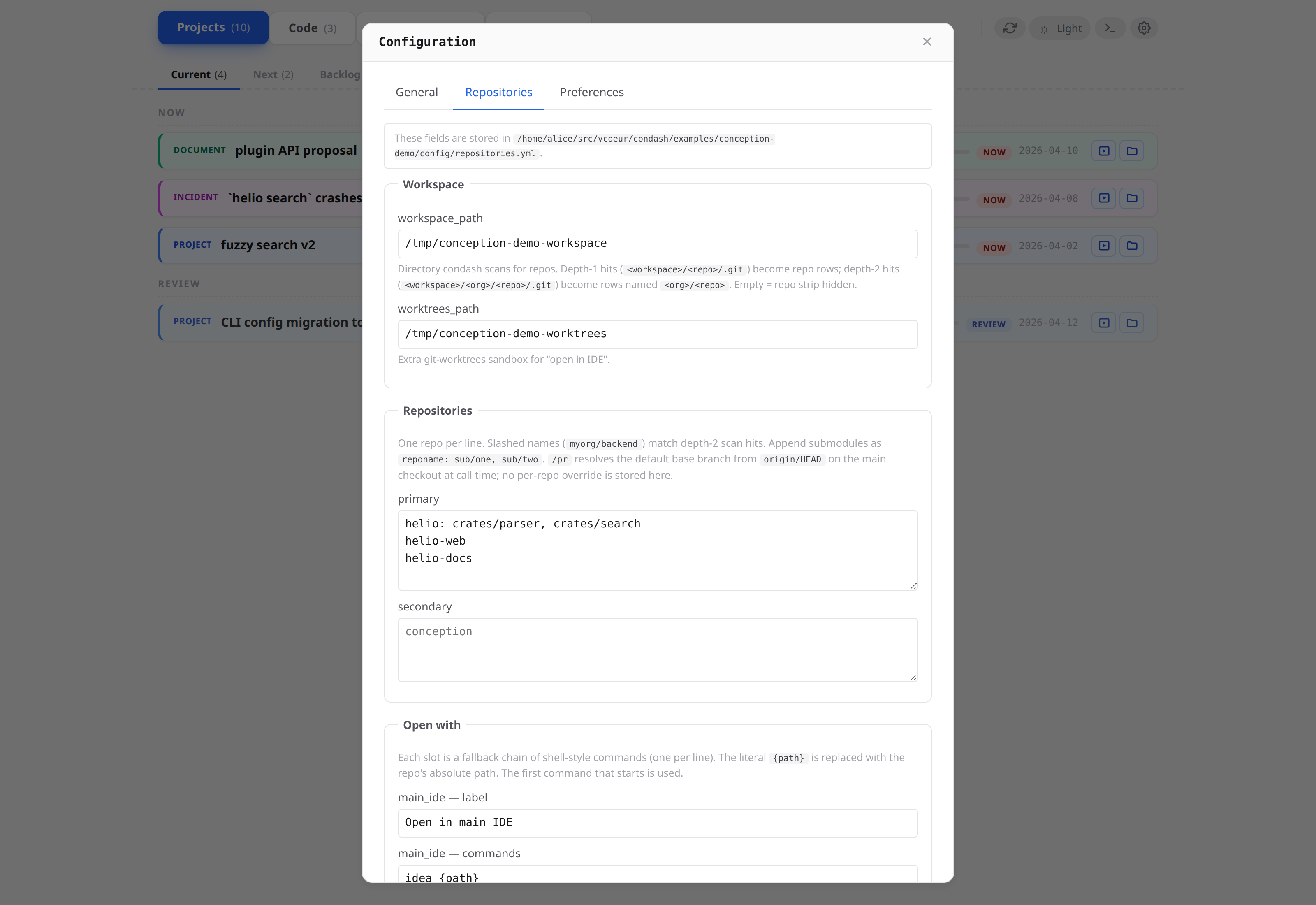
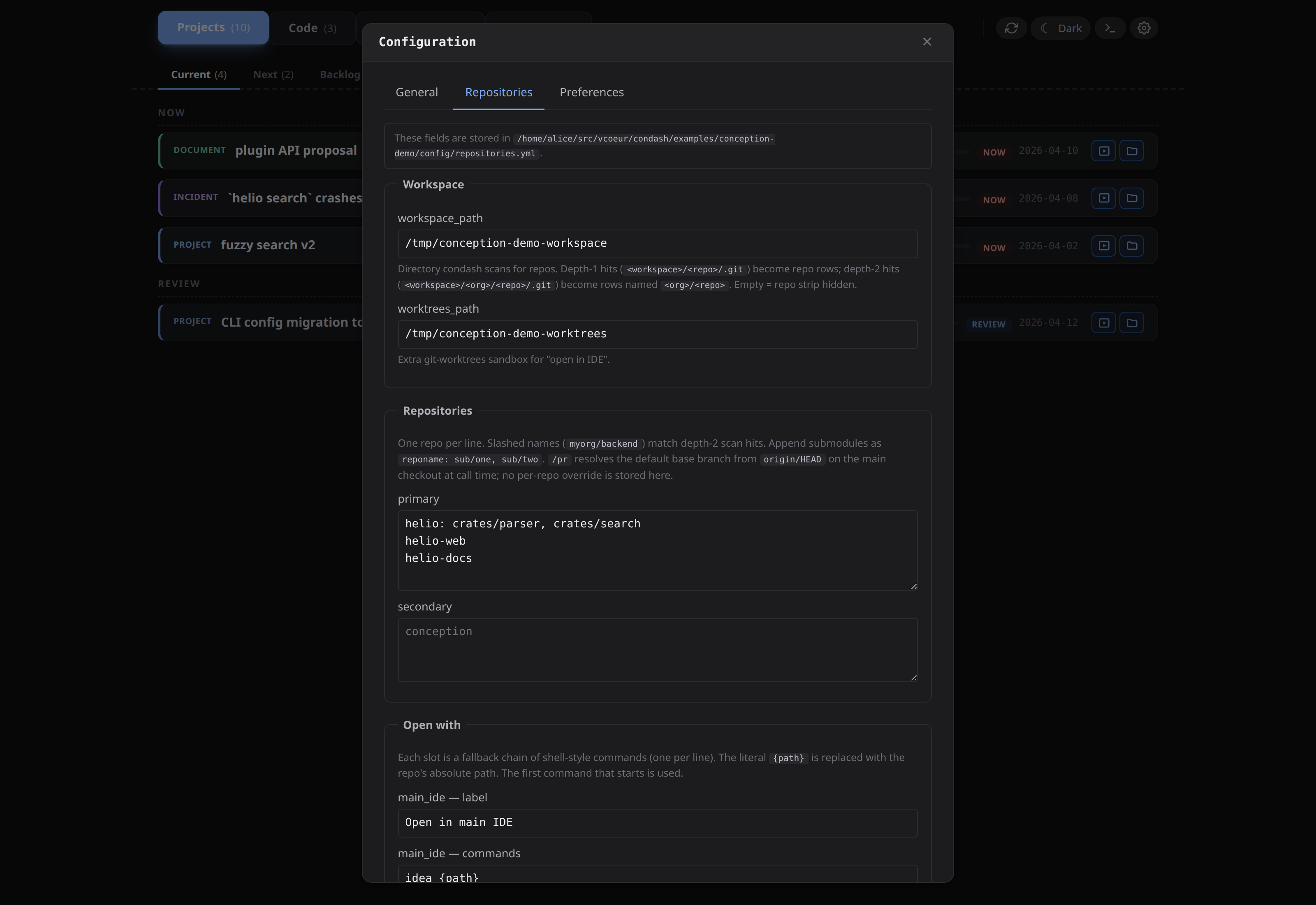
Form fields for workspace_path, worktrees_path, and the primary / secondary lists. Saves write repositories.yml atomically and reload the dashboard live. Add new repos to the primary list by dragging them up from the OTHERS card on the dashboard itself.
open_with is not currently exposed in the modal — edit repositories.yml directly for launcher changes.
Starting a dev server from the row
Distinct from open_with (which launches external tools like your IDE), the inline Run button spawns a dev server as a PTY-owned child of condash itself, with its output streamed into an xterm mounted under the row. Enable it by adding run: "<command>" to the repo's inline-map entry:
repositories:
  primary:
    - { name: notes.vcoeur.com, run: "make dev" }
    - name: helio
      submodules:
        - { name: apps/web, run: "npm --prefix apps/web run dev" }
The runner and the open_with launchers solve different problems: open_with hands control to a separate process you then interact with elsewhere; Run keeps the process under condash's lifecycle and shows its output right in the dashboard. See inline dev-server runner for the full state machine, single-session-per-repo lock, and websocket routes.
Sandbox rules
Every "open with" invocation validates its target path is under workspace_path or worktrees_path. Paths elsewhere are rejected. This is the single defence against a crafted URL parameter tricking condash into launching a command with an attacker-controlled argument — don't broaden the sandbox unless you know why.